1. Set up your workspace
Download the appropriate official release. Open the app and enter your key on the activation screen, then add your AI account in Accounts. Use Settings to check expiry or change your key.
Download Muse AISTUDIO MAX
Download the appropriate official release. Open the app and enter your key on the activation screen, then add your AI account in Accounts. Use Settings to check expiry or change your key.
DownloadOpen Batch processing. Enter prompts or import a UTF-8 TXT / XLSX file. Choose an account, configure tasks and an output folder, review the list and start.
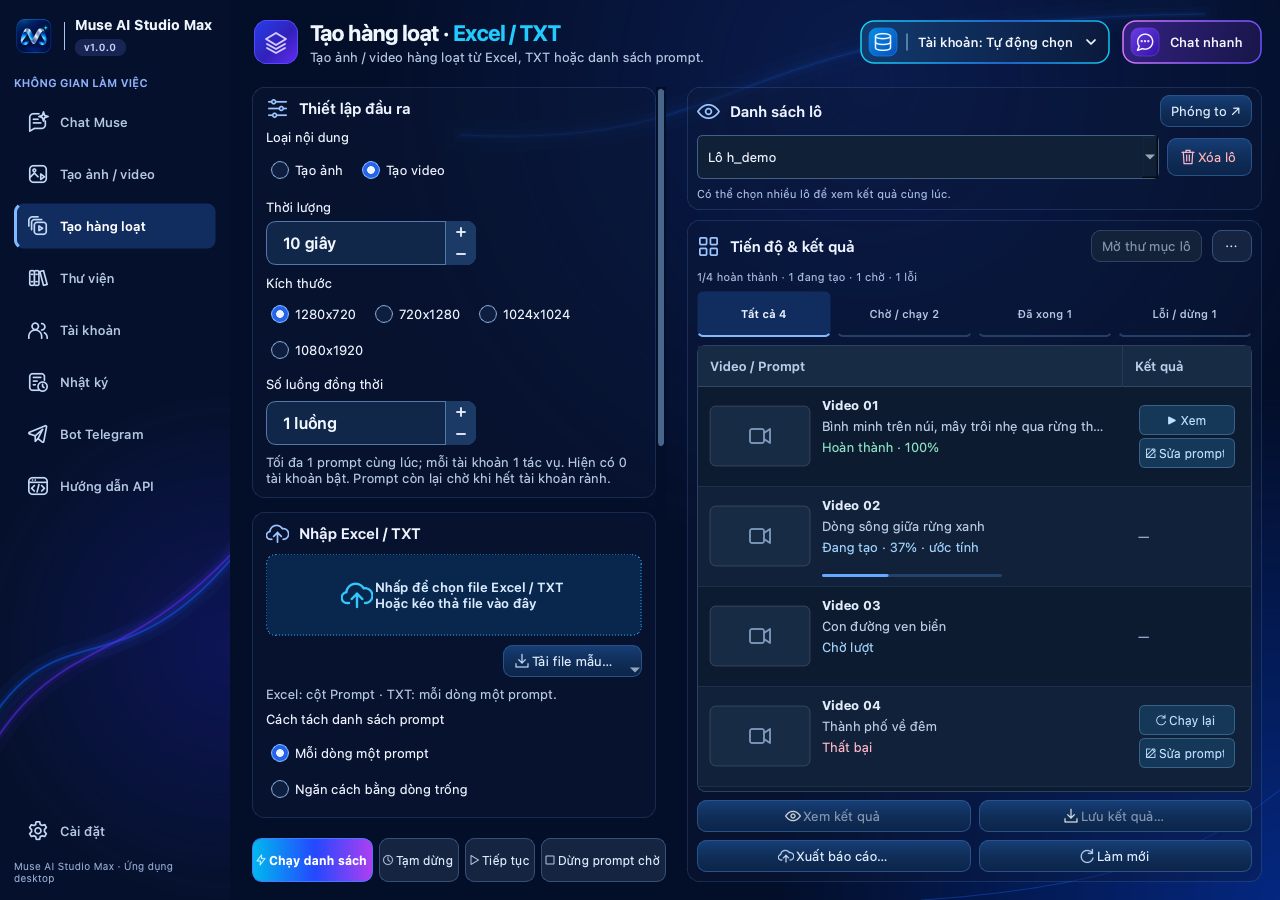
Track the status of each prompt. Pause or resume the batch, edit and rerun failed prompts, then find results in Library and your output folder.